Chat
Use Team Chat
Find team conversations, send replies and photos, and manage messages with the access your church provides.
Use Chat for conversation with your team. Use Team Notices for leader-authored announcements and the notification inbox for alerts that link to activity elsewhere in the app.
Open a conversation
- Open Chat from the web navigation, iPhone Chat tab or Android test build.
- Select an accessible thread and read the conversation before replying.
- Confirm the participants and church context, especially when you belong to multiple churches.
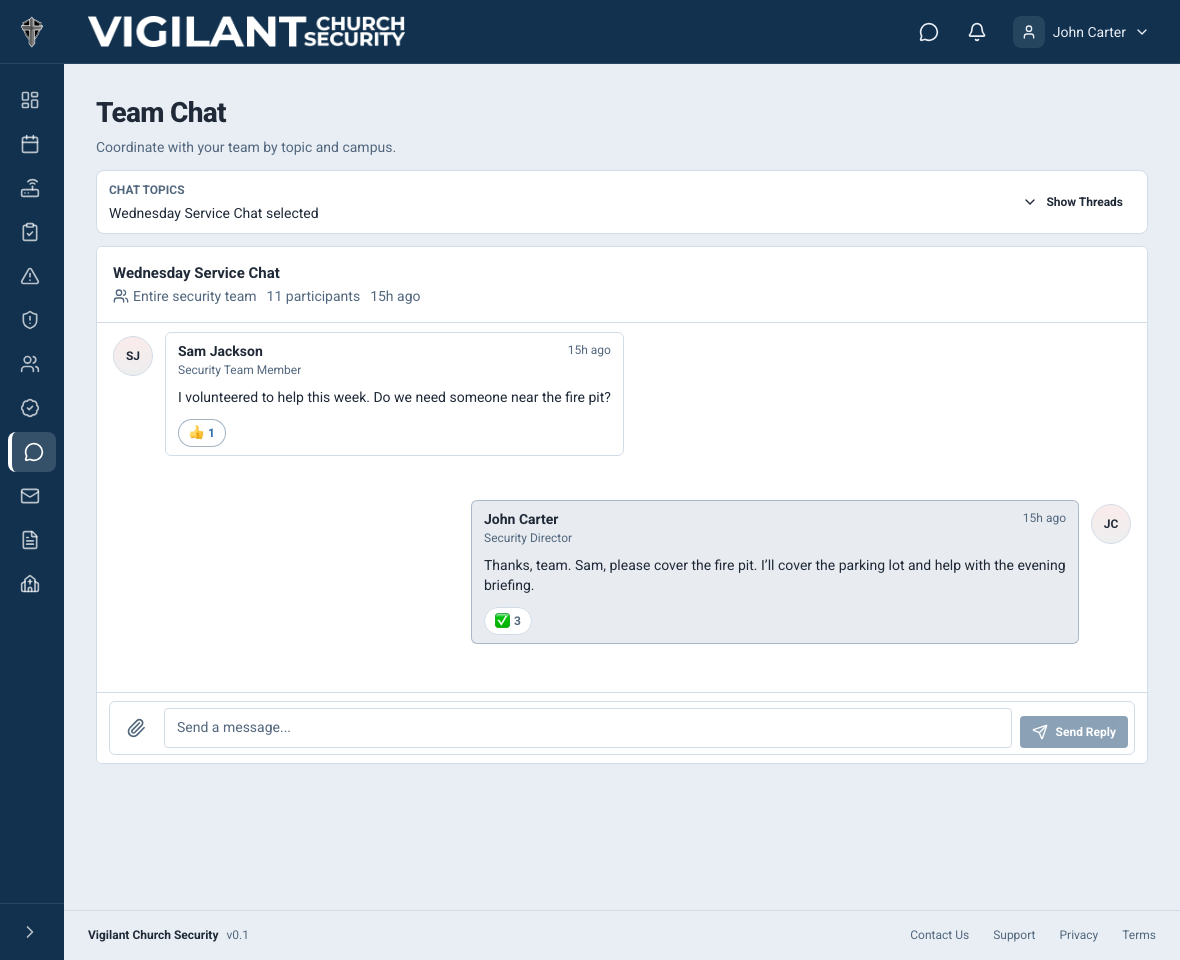
- Enter a message and send it. Wait until it appears in the conversation before assuming it was delivered.
If you need a new conversation, use the new-thread control when available, choose the intended people and give the thread a clear name. Access is limited by membership and permissions; viewing a conversation does not always permit posting.

Example shown with fictional demo data. View full-size screenshot.
Photos and message controls
When the composer offers photo attachments, choose the image, review it and send it with useful context. Photo upload requires a working connection. If an upload fails, check the conversation before retrying so you do not send duplicates.
Use the message menu for the actions available to you, such as editing or deleting your own message and adding a reaction. Moderation of another person's message requires additional permission. Do not put passwords, invitation links or unnecessary sensitive incident information into Chat.
Unread messages and notifications
Unread indicators help you find new conversation activity. Open the thread to catch up. Check the device's notification permission and your in-app preferences if pushes are missing; an unread conversation can still exist without a device notification.
Archive or delete a thread
Read the confirmation carefully. Archiving removes a conversation from active use; permanent deletion removes the thread and its messages. Use permanent deletion only when you have the permission and your church's records policy permits it.
If sending is unavailable
Confirm the selected church, connection, thread membership and whether the thread is archived. Ask an administrator to review Participate in Chat separately from View Chat. A readable thread is not proof that the account may post.