Stand watchas oneteam.
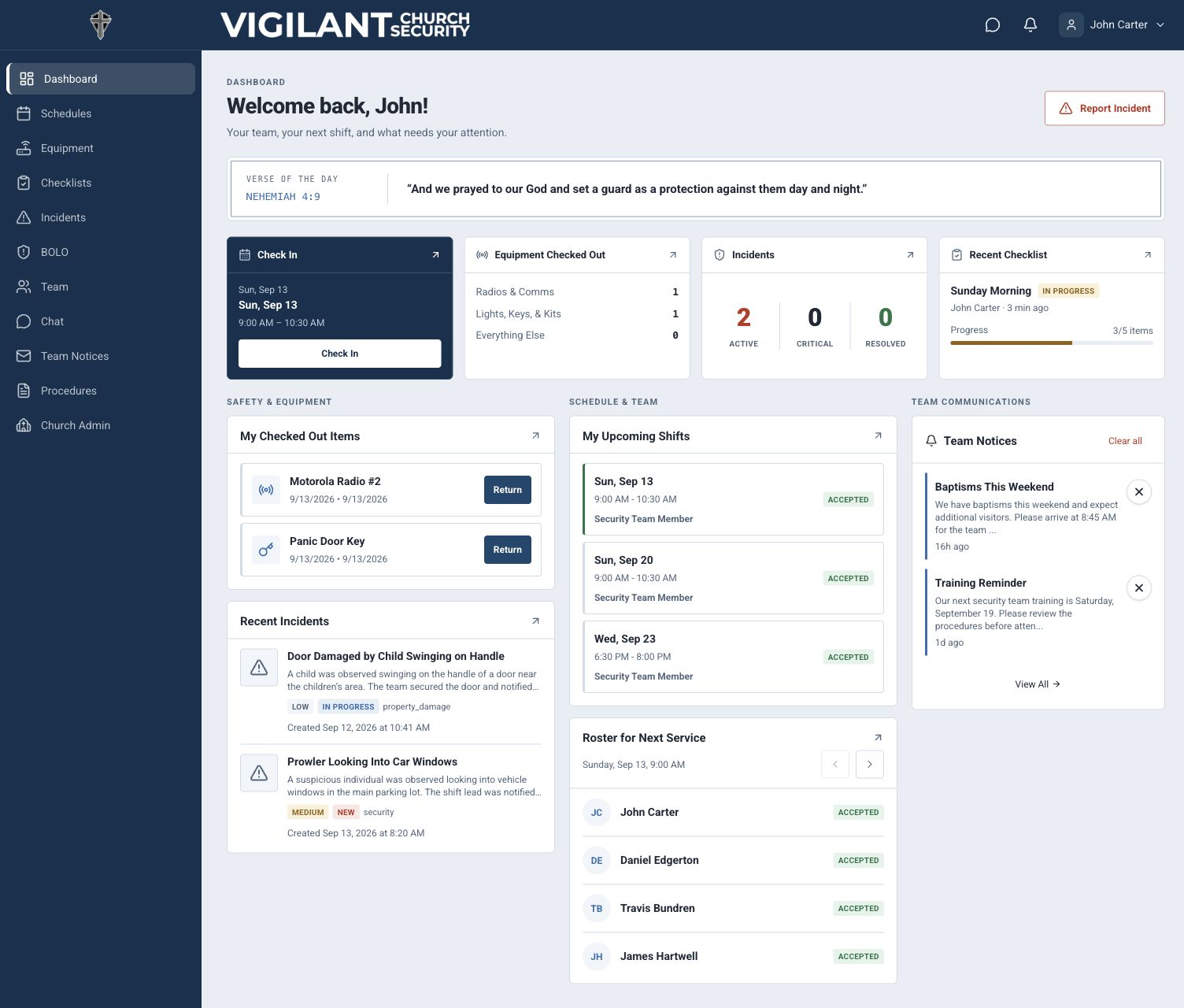
The Platform Designed for Your Church Security Team
Keeps schedules, communication, equipment, checklists, incidents, and procedures in good order for the people serving every weekend.
[ Our mission ]
To empower churches everywhere with the tools to keep their people safe, unified, and ready.
Today's church security teams carry more weight than ever. Vigilant helps teams move from scattered spreadsheets, text chains, and paper forms into one ordered place for serving well.
Chasing shift confirmations eats up your week
Manual follow-ups, unanswered texts, last-minute no-shows.
Paper incident reports never get finished or shared
Critical information gets lost, never reaching leadership or other campuses.
When something happens at one campus, others never know
Each location operates in a silo. No shared awareness, no unified response.
You didn't sign up to manage spreadsheets. You signed up to protect God's people.
[ Mobile apps ]
Stay ready.Stay connected.
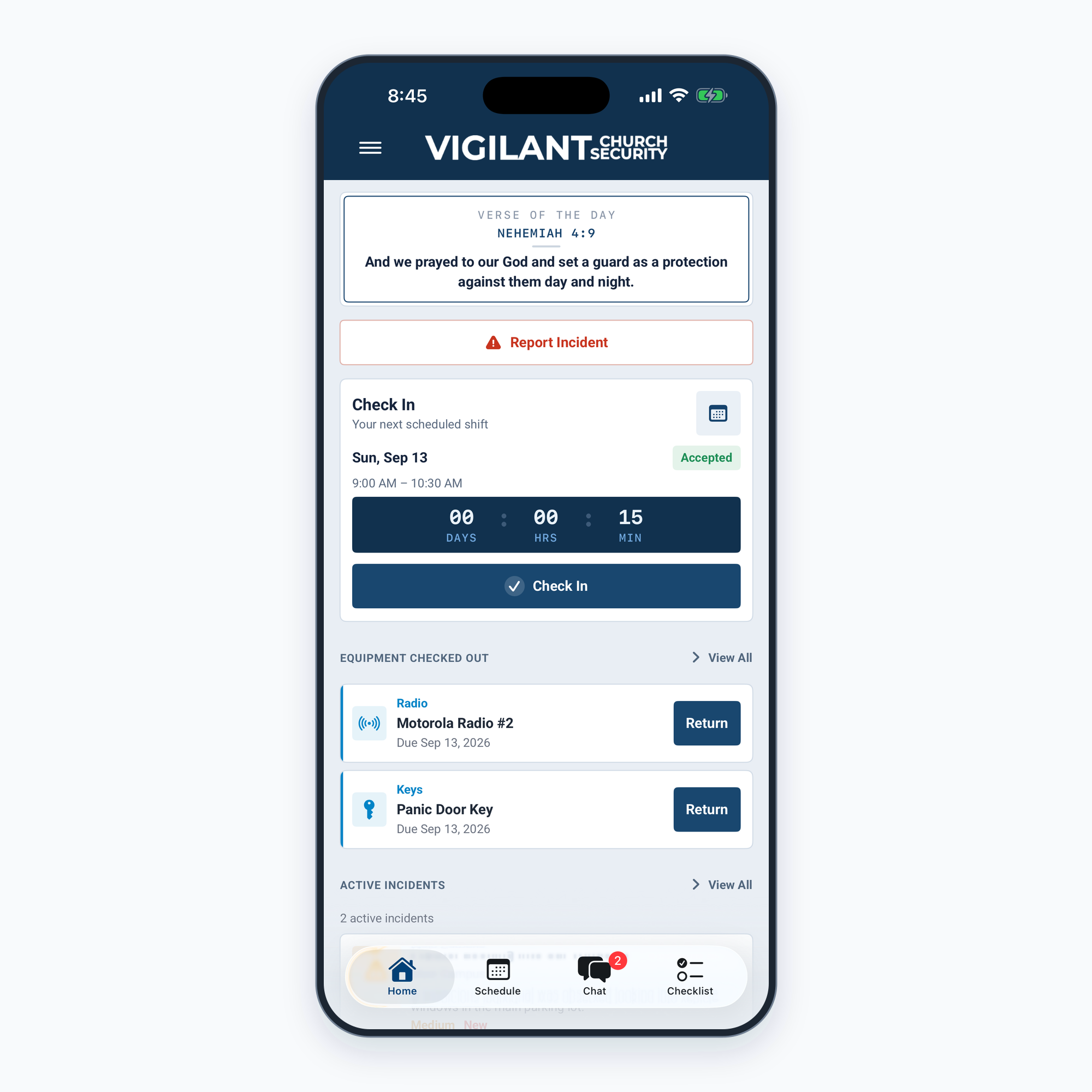
The Vigilant Church Security app keeps your next shift, team messages, equipment, and checklists close at hand. Check in and coordinate with your team from anywhere on campus.
iOS — Available now

Android — Available now

Use the web app for deeper administration and reporting.
[ Capabilities ]
Everything the watch needs.
Church security is not just schedules and reports. It is being vigilant and well organized, with the core work of the team visible in one place.
Shifts & scheduling
See shifts and who is serving alongside you. Volunteers can step into open needs, set availability, and stay accountable.
Team communication
Use dedicated Chat for team coordination and Church Communication for official campus-wide updates.
Equipment tracking
Check out and return radios, medical kits, and keys. Track maintenance, usage, and who has what.
Incidents & BOLOs
Document incidents, track responses, and raise Be On the Look Out alerts that keep the whole team aware.
Pre-service checklists
Work checklists together before the doors open. Add notes and photos, hand off items, and keep history.
Processes & procedures
Upload your procedures with an easy-to-view index so every team member can find the playbook quickly.
Team activity tracking
See whether your team is actually engaging across web and mobile, then follow up with members who need setup help.
Attendance tracking
Compare scheduled security coverage with check-ins, no-shows, late arrivals, and exportable leadership reports.
Role-based access control
Match app access to real security responsibilities so volunteers have the tools they need while sensitive controls stay with trusted leaders.
Audit logs
Review important security, administrative, support, account, and permission activity with searchable operational history.
01 / Shifts & scheduling
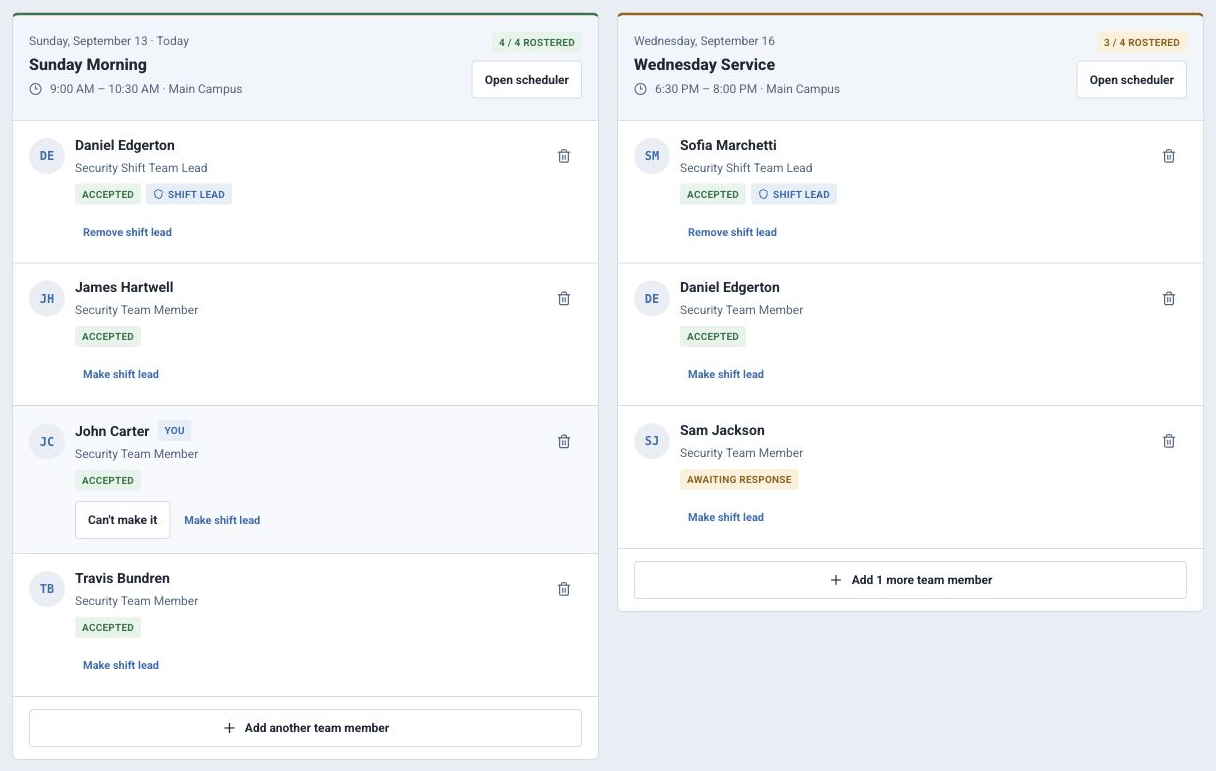
Know exactly when you serve.
See scheduled shifts at a glance and know exactly who is standing watch alongside you every weekend.
- 01Coverage you can count on. Volunteer for open shifts so the team is never short.
- 02Serve on your terms. Set availability and serve as often as you would like.
- 03Accountability built in. Track attendance and engagement with admin reporting.
02 / Communication
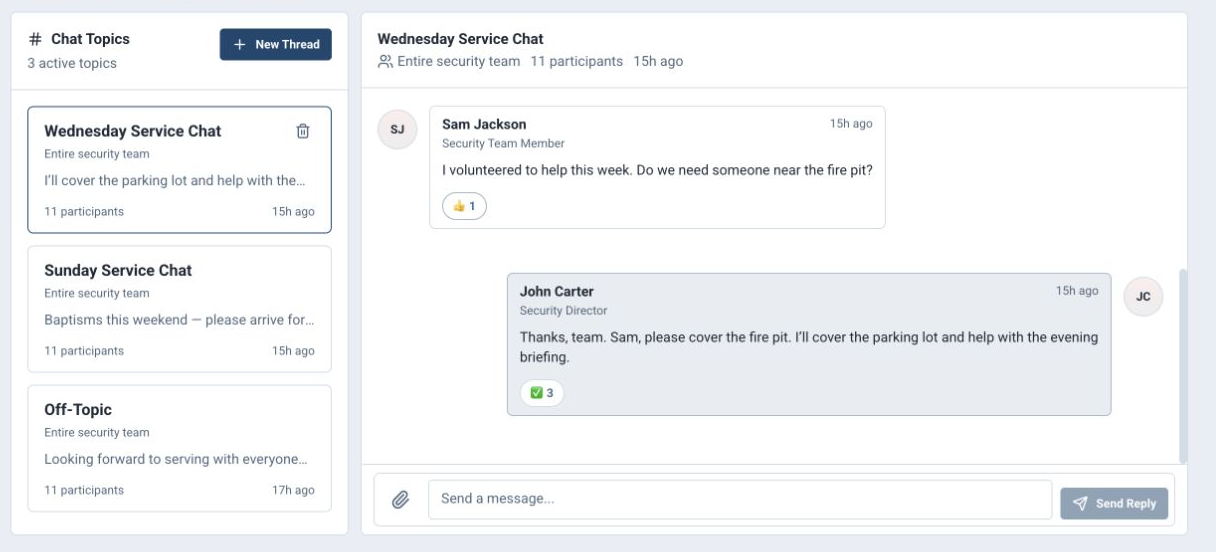
Dedicated chat and church communication.
Use Chat for daily team coordination, and use Church Communication to send official messages to one campus or every campus.
- 01Team chat keeps quick coordination out of scattered text threads.
- 02Church Communication gives leaders a dedicated page for campus messages.
- 03Campus targeting lets updates go to a specific campus or to all campuses at once.
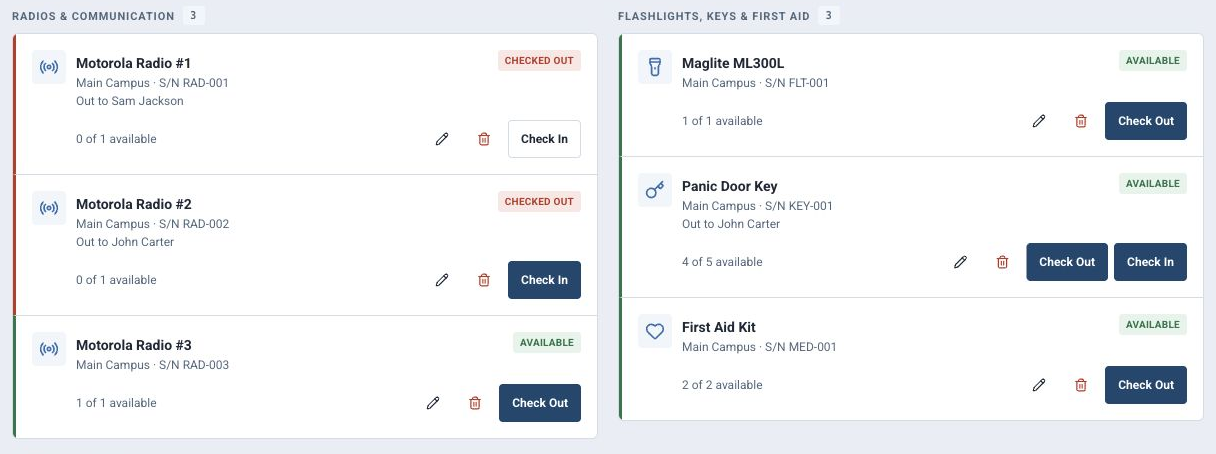
03 / Equipment tracking
Know who has every radio, key, and kit.
Track the items your team depends on before, during, and after service so equipment is ready and accounted for.
- 01Check out radios, medical kits, keys, and other resources in seconds.
- 02See who has each item and when it was assigned.
- 03Maintain an audit trail for returns, maintenance, and missing gear.
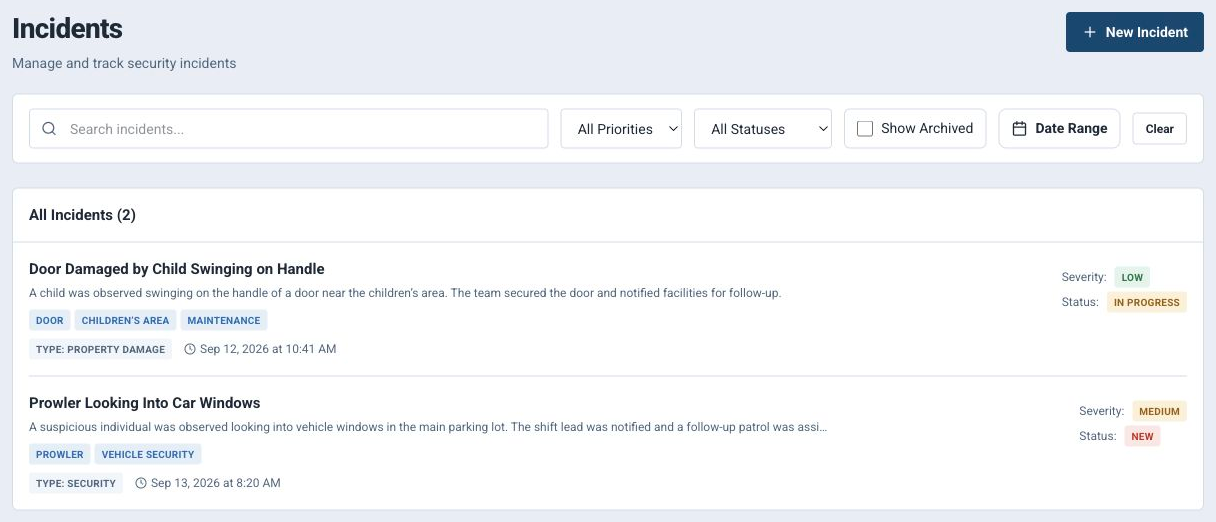
04 / Incidents & BOLOs
Document what happened and alert the team.
Incident records and BOLO awareness live side by side, giving leaders a clear record and volunteers the information they need now.
- 01Capture incident details, status, severity, follow-up, and supporting context.
- 02Raise BOLO alerts so the whole team knows what to watch for.
- 03Keep a searchable record for leadership review and cross-campus awareness.
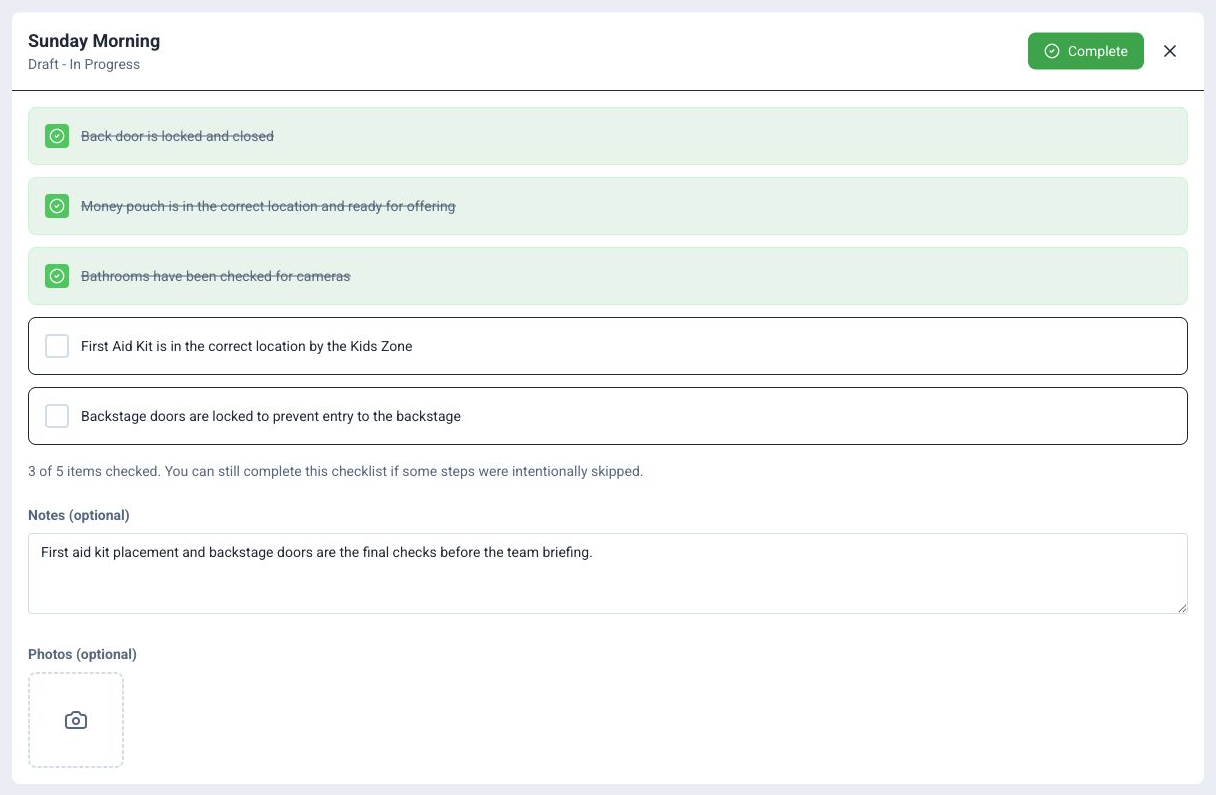
05 / Checklists
Run pre-service checks as a team.
Give every service a clear readiness rhythm with repeatable checklists, completion history, and handoff notes.
- 01Assign checklist items before the doors open.
- 02Add notes and photos when something needs follow-up.
- 03Track open and completed work so nothing is left ambiguous.
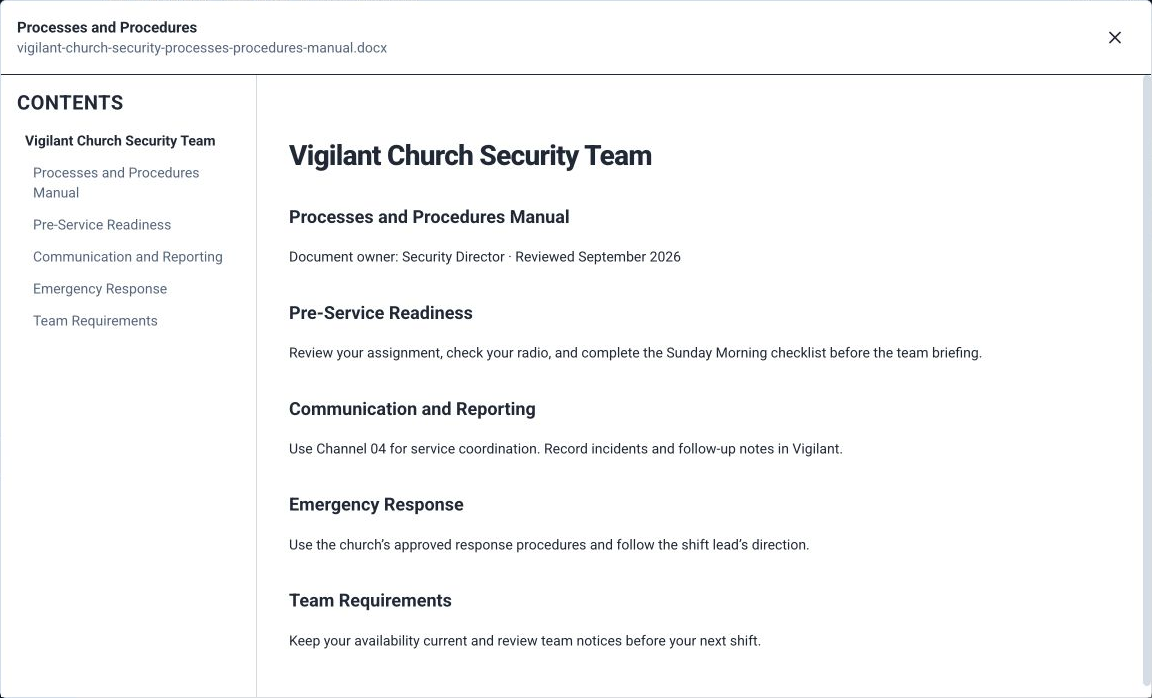
06 / Procedures
Put the playbook where the team can find it.
Store procedures in an indexed, easy-to-read place so every member can find the right process under pressure.
- 01Upload and organize standard operating procedures.
- 02Make policy and process documents available to every approved team member.
- 03Help new volunteers learn the ministry's way of serving before they are on shift.
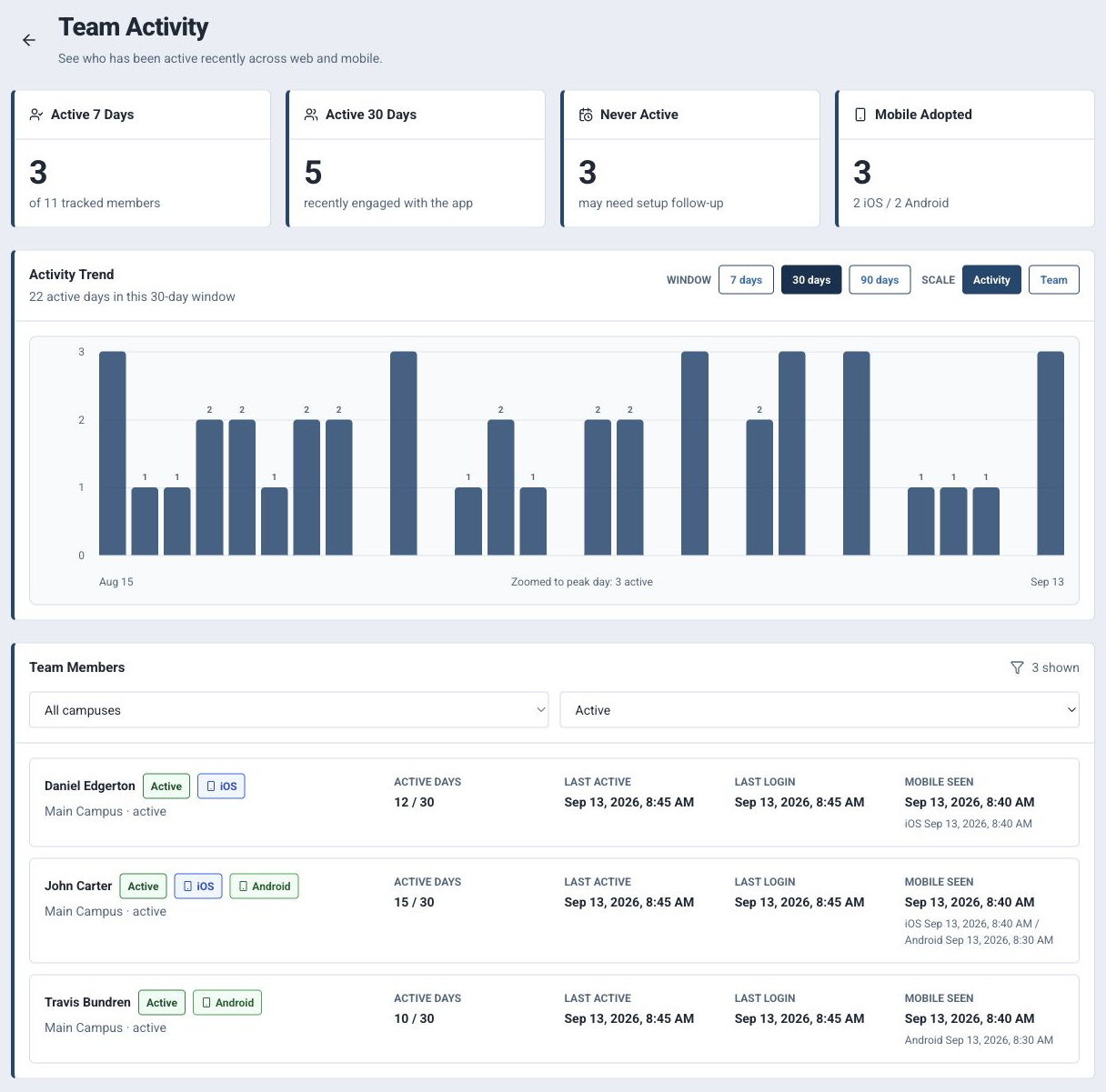
07 / Team activity
Know who is active across web and mobile.
Help church leaders follow up after rollout, troubleshoot access, and spot team members who may need help signing in or adopting the mobile app.
- 01Track recent engagement by member, organization, date, and surface across web, iOS, and Android mobile activity.
- 02Classify members as active, quiet, dormant, or never active, with 7-day, 30-day, and never-active summaries.
- 03Review 90-day trends, mobile adoption, campus and status filters, last login, last active time, and device visibility.
08 / Attendance tracking
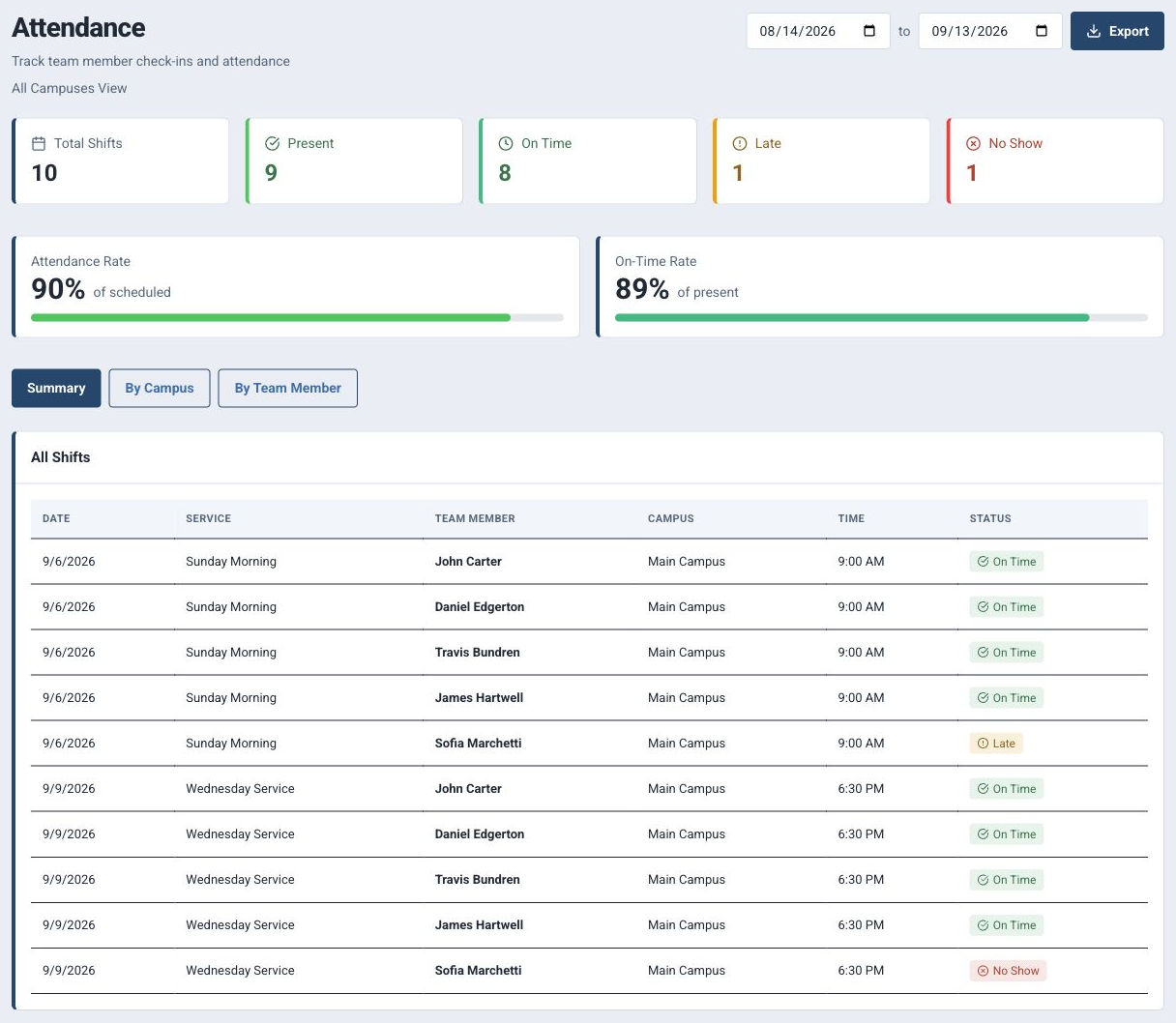
Know whether scheduled coverage happened.
Connect schedules with check-in activity so leaders can review who served, who was late, who missed a shift, and how coverage varied by campus or team member.
- 01Track scheduled shifts, check-in and check-out times, present, late, no-show, attendance rate, and on-time rate.
- 02Review attendance by date range, campus, or team member, including native schedules and Planning Center-backed assignments when available.
- 03Export browser-generated PDF reports for leadership follow-up, while keeping results authenticated, organization-scoped, and entitlement-gated.
09 / Role-based access control
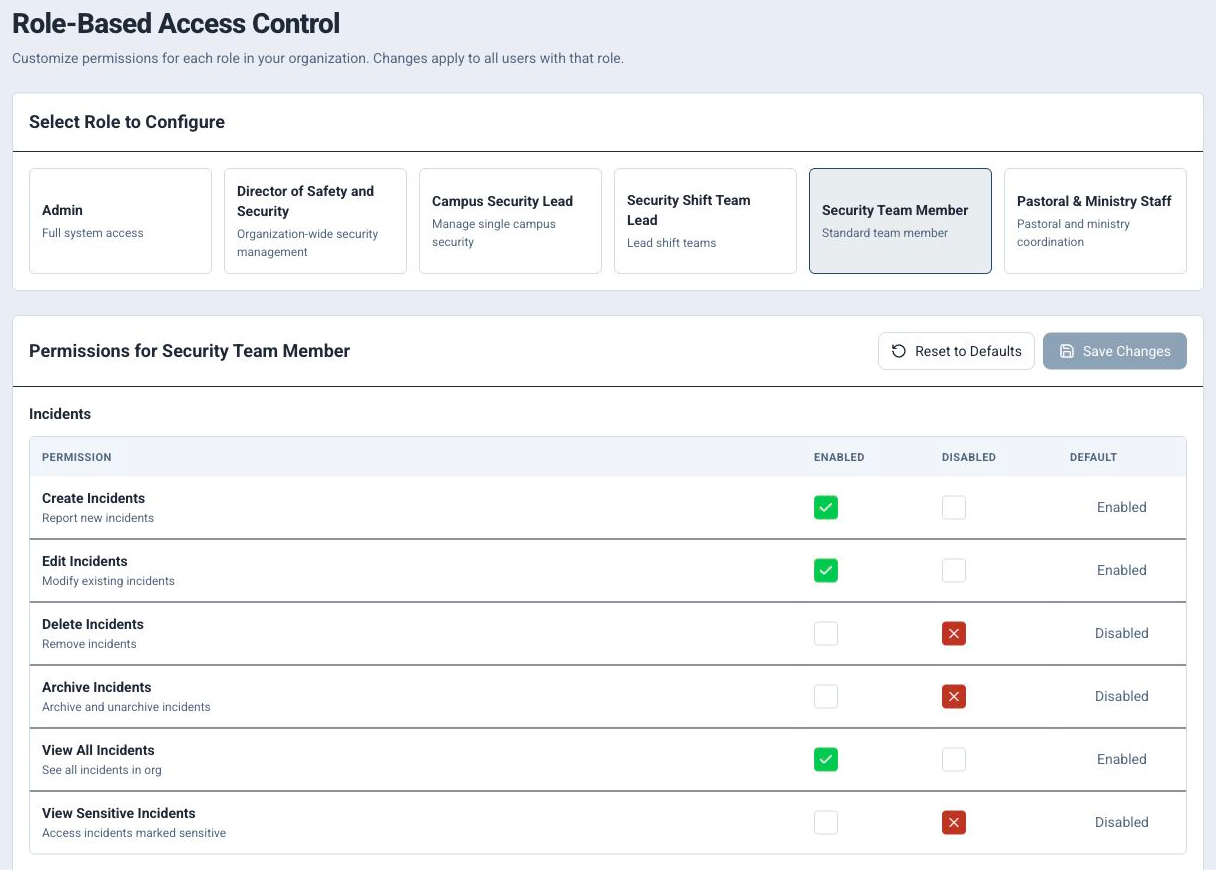
Give each role the right level of access.
Build permissions around how church security teams actually operate, with defaults for admins, directors, campus leads, shift leads, team members, and support staff that leaders can tune for their organization.
- 01Start with role-based defaults, then explicitly enable, disable, or preserve default permissions for each role.
- 02Control access across incidents, team, campus, equipment, schedules, procedures, communications, settings, checklists, and users.
- 03Keep permission changes organization-scoped, audited, and enforced through server-side effective permission checks.
10 / Audit logs
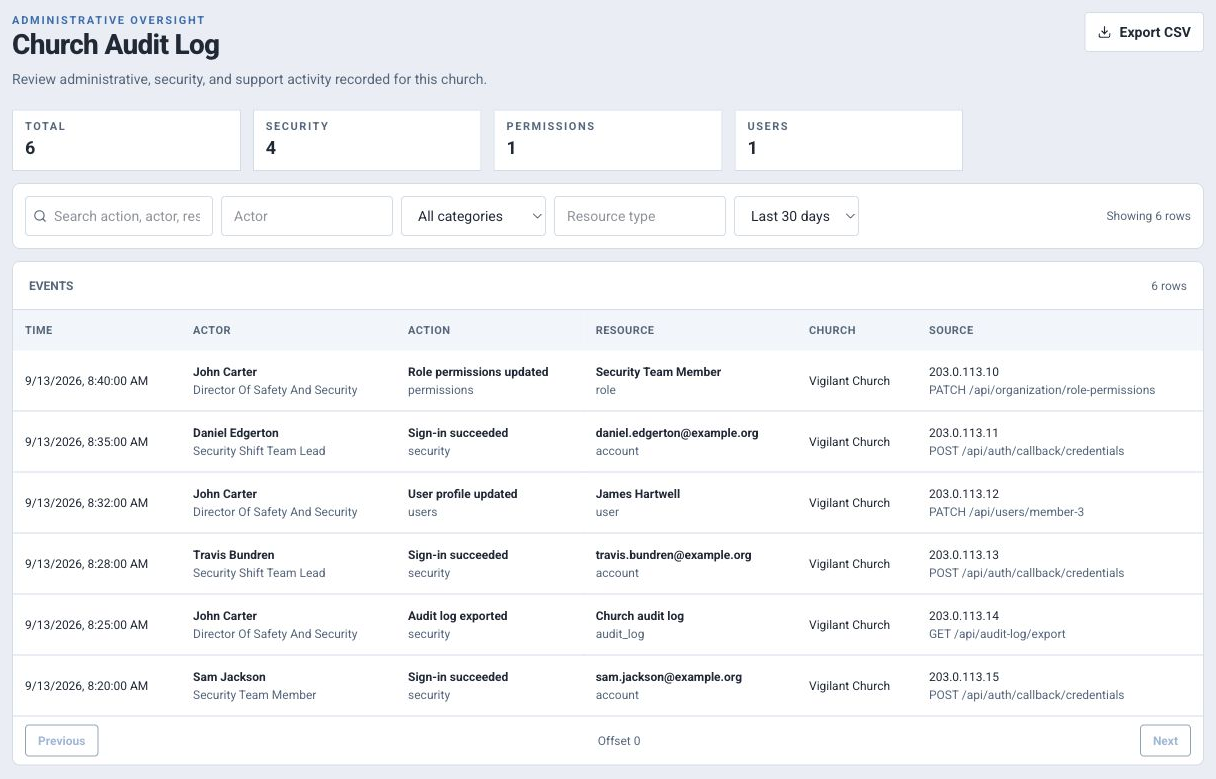
See who did what and when.
Give authorized church leaders and Vigilant support staff a searchable operational audit trail for important security, administrative, user, permission, billing, and support activity.
- 01Review church-scoped activity by actor, category, action, resource, date range, and request context.
- 02Open detailed events to inspect actor role, affected resource, church, request ID, IP address, user agent, and structured metadata.
- 03Export filtered results to CSV, with audit exports recorded and sensitive metadata redacted before storage.
[ Pricing ]
Simple Pricing
14-day free trial on all plans. No credit card required.
Small churches, single campus, up to 10 team members.
Start Free Trial- ✓1 Campus
- ✓Up to 10 team members
- ✓Incident reporting
- ✓Team scheduling
- ✓Checklists
- ✓Email support
Growing churches, up to 3 campuses, up to 30 team members.
Start Free Trial- ✓Up to 3 Campuses
- ✓Up to 30 team members
- ✓Everything in Single-Campus
- ✓Planning Center sync
- ✓Cross-campus incident sharing
- ✓Priority support
Large organizations, unlimited campuses and team members.
Start Free Trial- ✓Unlimited Campuses
- ✓Unlimited team members
- ✓Everything in Multi-Campus
- ✓Custom branding
- ✓Dedicated onboarding
- ✓Priority phone support
Need more members? Add 20-member packs for $10/mo.
[ FAQ ]
Frequently asked questions
Have a question about your church's setup? Email our team or browse the support guides.
[ Be vigilant. Be ready. ]
Bring your team under one directive.
Less time managing means more time protecting. Start with your team, your campuses, and the work already in front of you.
No credit card required. Cancel anytime.