Administration & Reports
Review Attendance, Team Activity, and Audit Reports
Use service attendance, team activity and audit history for different reporting questions.
These reports answer different questions. A service attendance record shows check-in activity. Team Activity summarizes recorded engagement. An Audit Log shows recorded changes and actions. None alone establishes a person's training, readiness or performance.
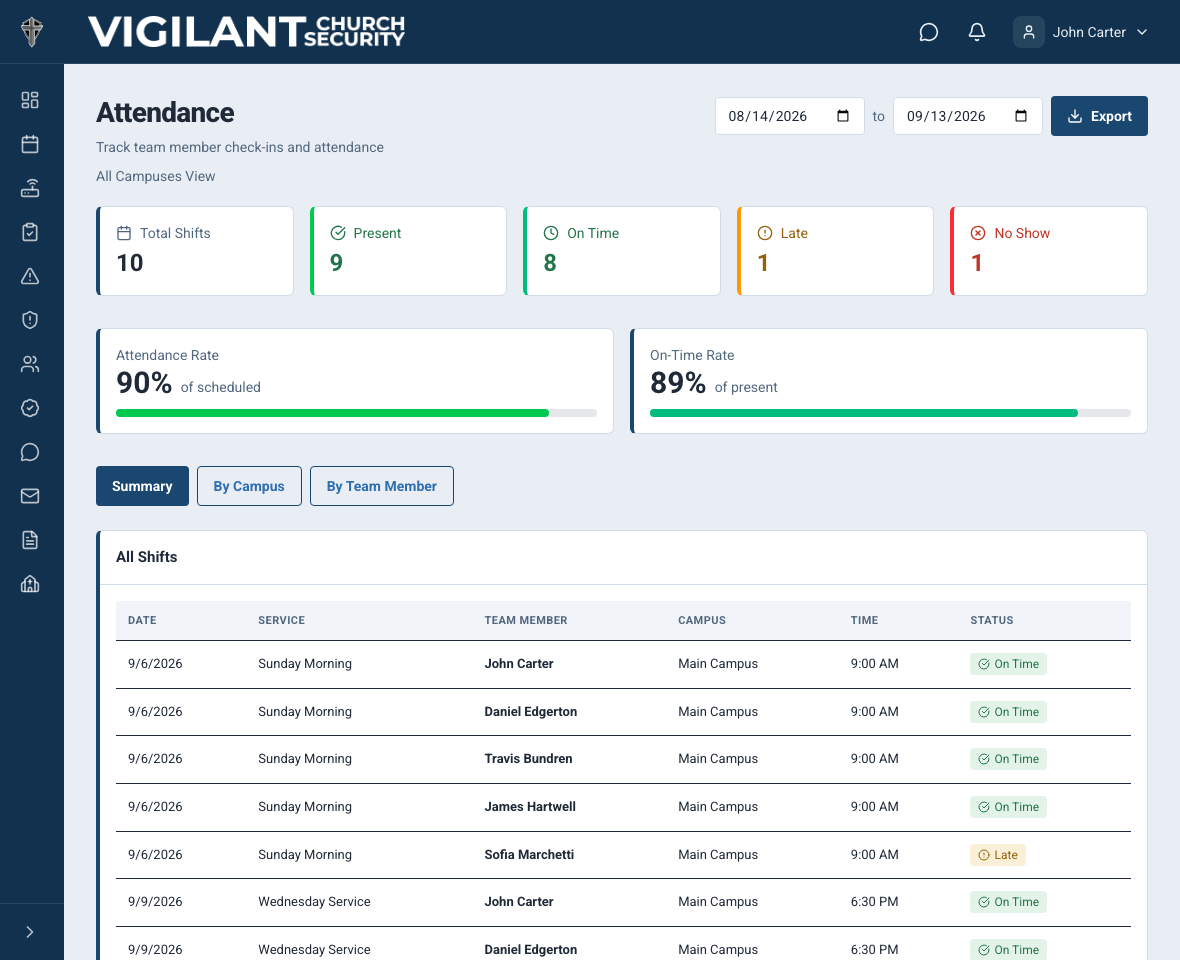
Review service attendance
- Open Church Admin and the Attendance report available to your account.
- Select the campus and date range or service filters you need.
- Review each person's recorded check-in and check-out information.
- Investigate a missing record with the member and service leader before concluding that the person was absent.
- Use the offered export control if you need a copy, and review the selected scope before sharing it.
Training event attendance is maintained separately under Trainings & Certifications > Trainings & Attendance. Yes, Maybe and No are RSVPs, not attendance records. Use the training Attendance report for actual recorded attendance.

Example shown with fictional demo data. View full-size screenshot.
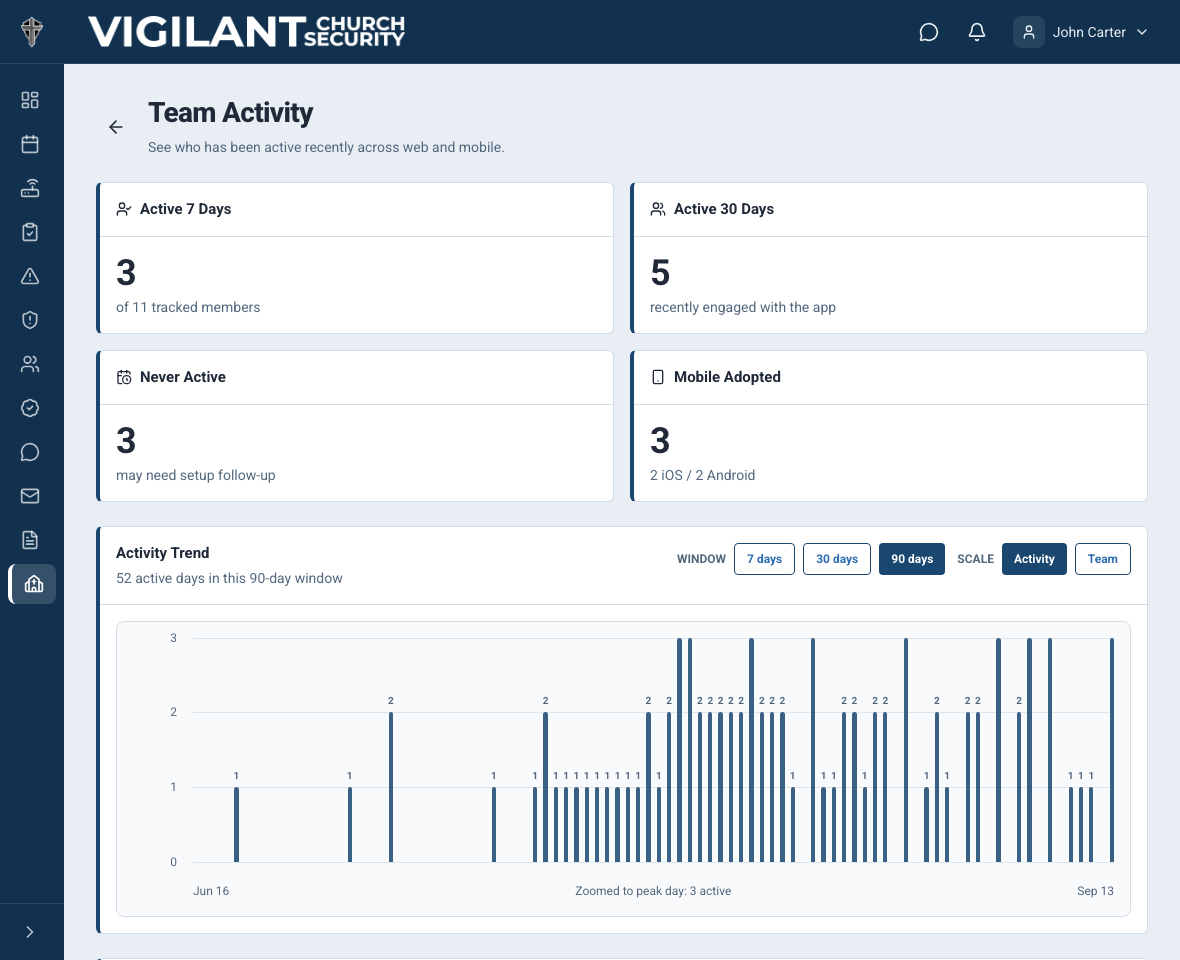
Review Team Activity
Open Team Activity in Church Admin. Apply the available member, campus and date filters, and read the metric labels before comparing people. Campus leads may see a restricted campus scope. Low recorded activity may reflect role, assignment or how the team uses the app; it is not by itself proof of poor participation.

Example shown with fictional demo data. View full-size screenshot.
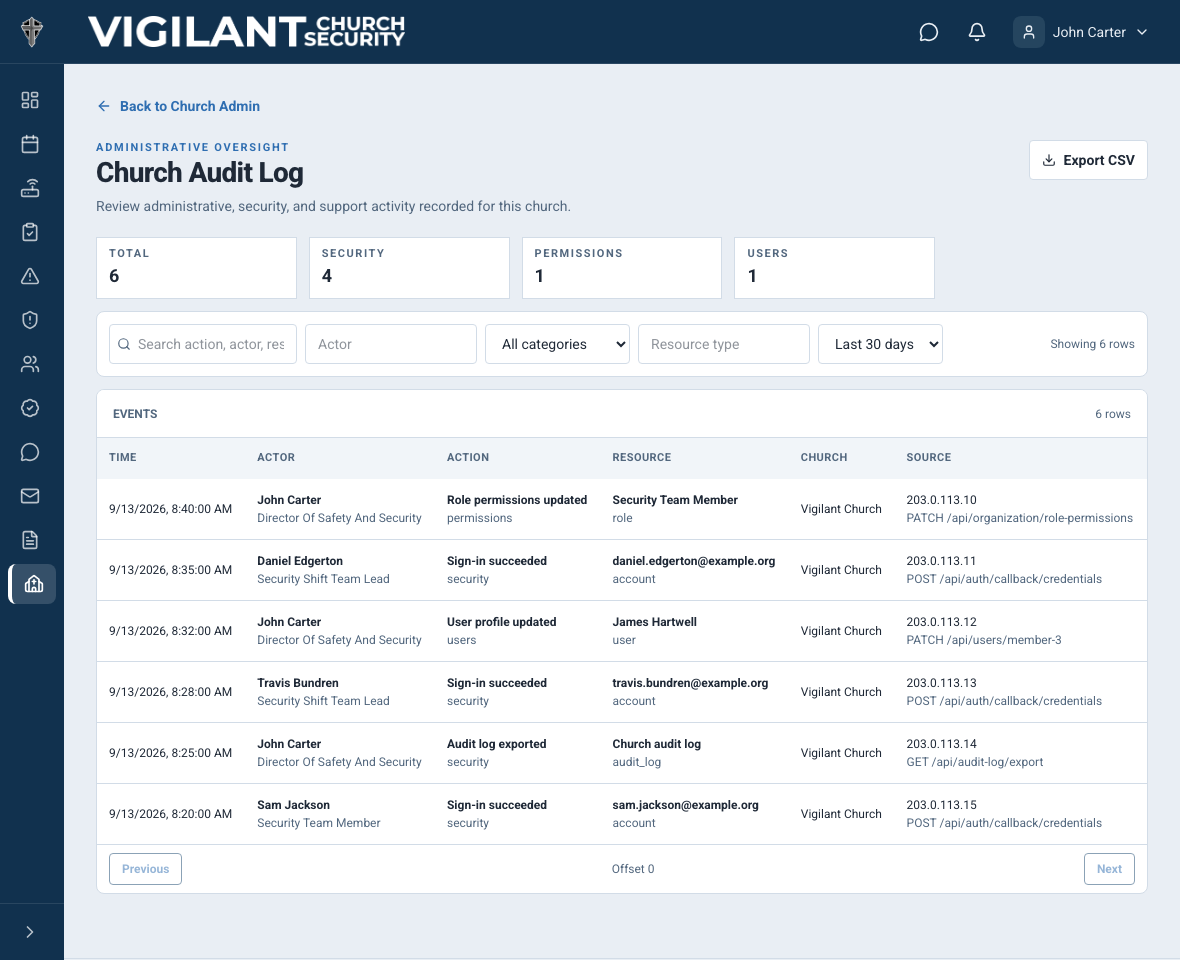
Review the Audit Log
Open Audit Log with the required administrative access. Filter the date range and action or actor where offered. Open a record to understand what action was recorded and its context. Use it to investigate a specific change; do not treat the log as a complete narrative of everything a person did.

Example shown with fictional demo data. View full-size screenshot.
Access and exports
Attendance, Team Activity and Audit Log each have their own viewing access and campus scope. Seeing Church Admin does not automatically grant all reports, and view-only access does not permit management actions. Use the web app for reports and exports absent from your mobile build, review the selected scope, and share only with authorized recipients.