Android App
Submit and Follow Support Requests on Android
Send a support request, review ticket details and replies, and handle cache recovery carefully.
Vigilant Church Security for Android is available on Google Play. Install the app and sign in with your Vigilant account. Available features depend on your app version, church and effective permissions.
Create a ticket
- Open Support from the app menu.
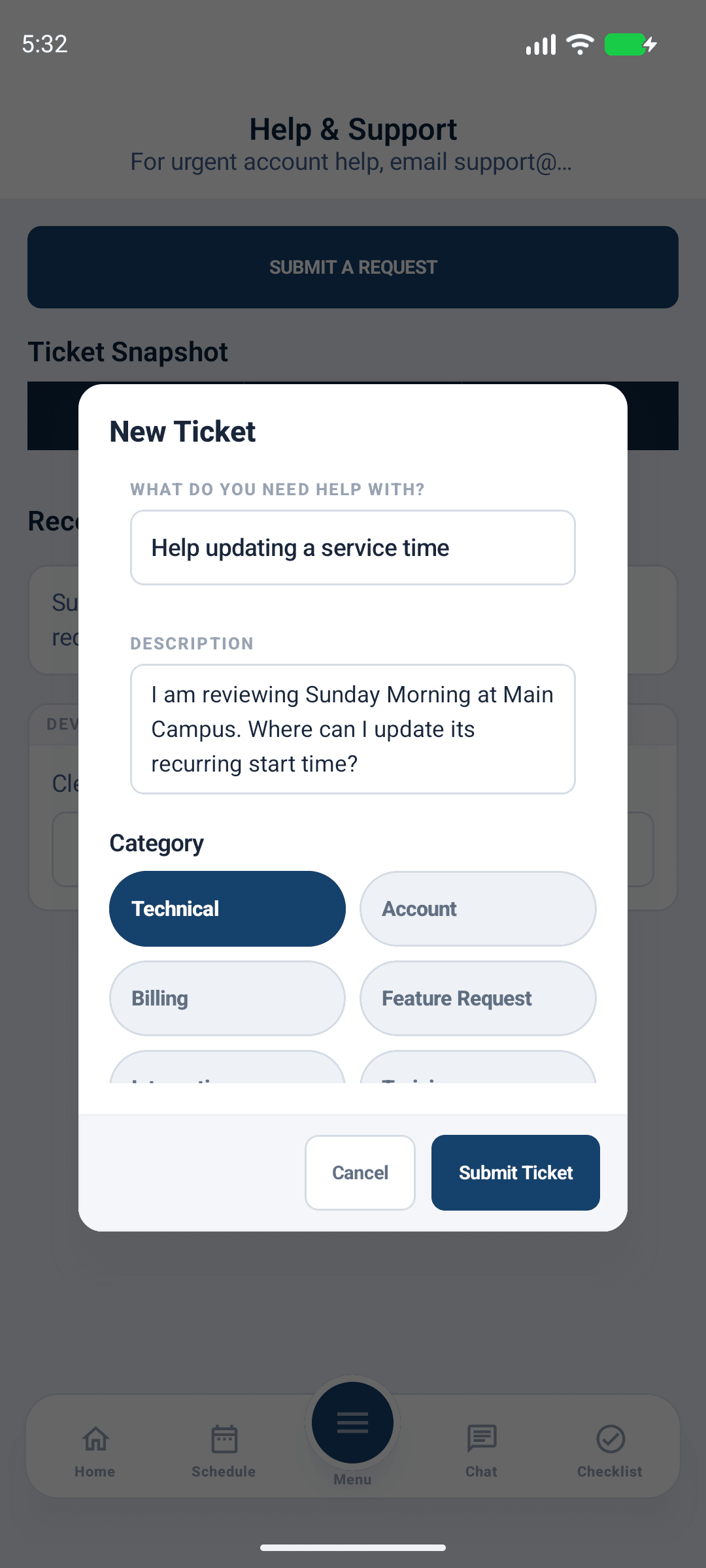
- Select Submit A Request to open New Ticket.
- Enter What do you need help with? and a clear Description.
- Select Category and Priority, then submit.
- Confirm the ticket appears in your list and keep its reference.
Describe the affected feature, expected and actual result, approximate time and timezone, Android version, app build and visible error. Never include passwords, MFA codes, invitation links or unnecessary sensitive church records.

Android app shown with fictional demo data. View full-size screenshot.
Follow the request
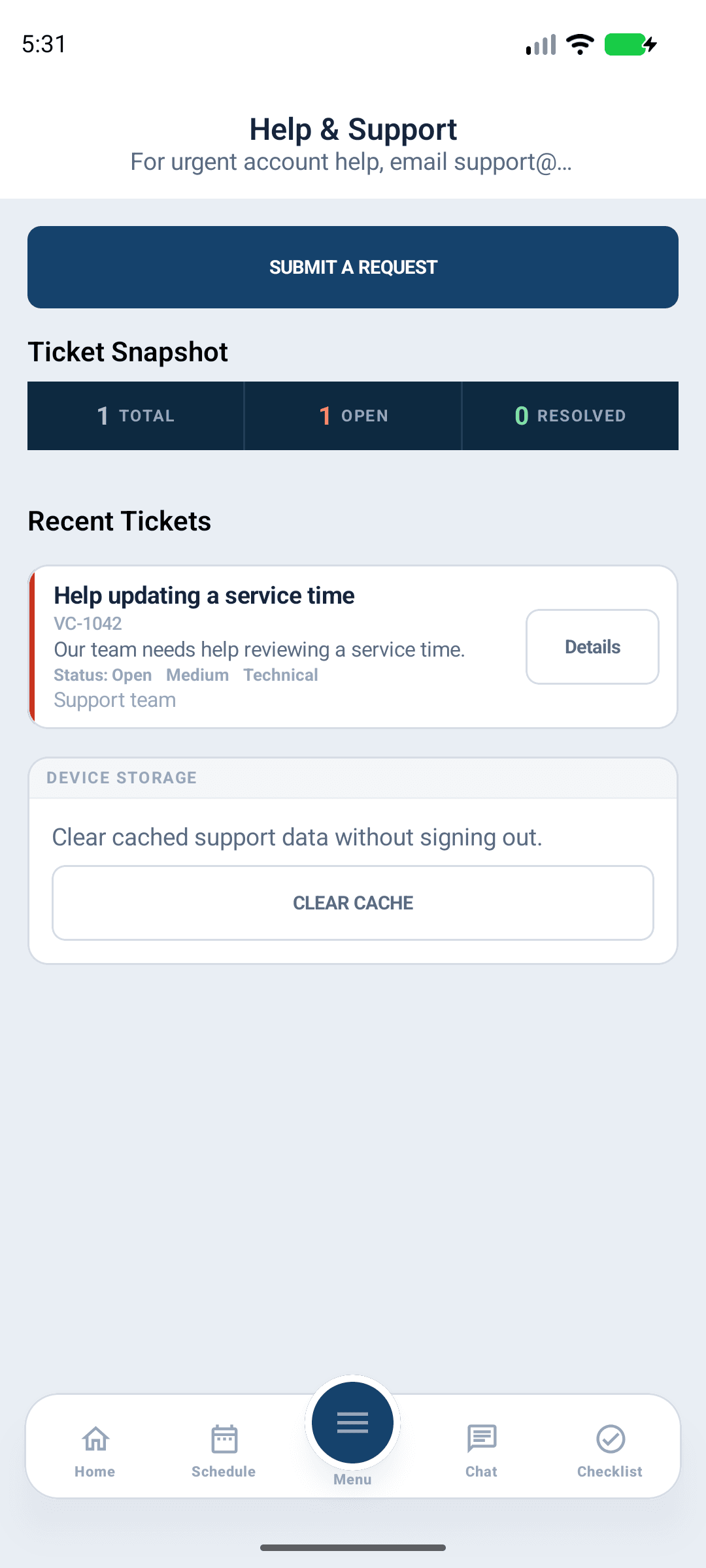
Select Details on the existing ticket, review its status and replies, and send follow-up information through that ticket's reply control. Check the saved conversation even when an email or push alert is expected. Avoid opening duplicate tickets for the same issue.

Android app shown with fictional demo data. View full-size screenshot.
Device storage and cache
Support includes device-storage and cache controls. Read Clear Cache? before confirming Clear Cache. First confirm that important work has synchronized and that you can sign in again. Clearing cached data is not a substitute for resolving a failed upload or pending save, and does not constitute an account-deletion request.
If you cannot sign in or submit a ticket, use the public support center from a browser or the support contact shown there. Provide the church and account email without account secrets.