Android App
Report Incidents and Export PDFs on Android
Create factual incident reports, follow up with notes and photos, and save or share a PDF.
Vigilant Church Security for Android is available on Google Play. Install the app and sign in with your Vigilant account. Available features depend on your app version, church and effective permissions.
Report an incident
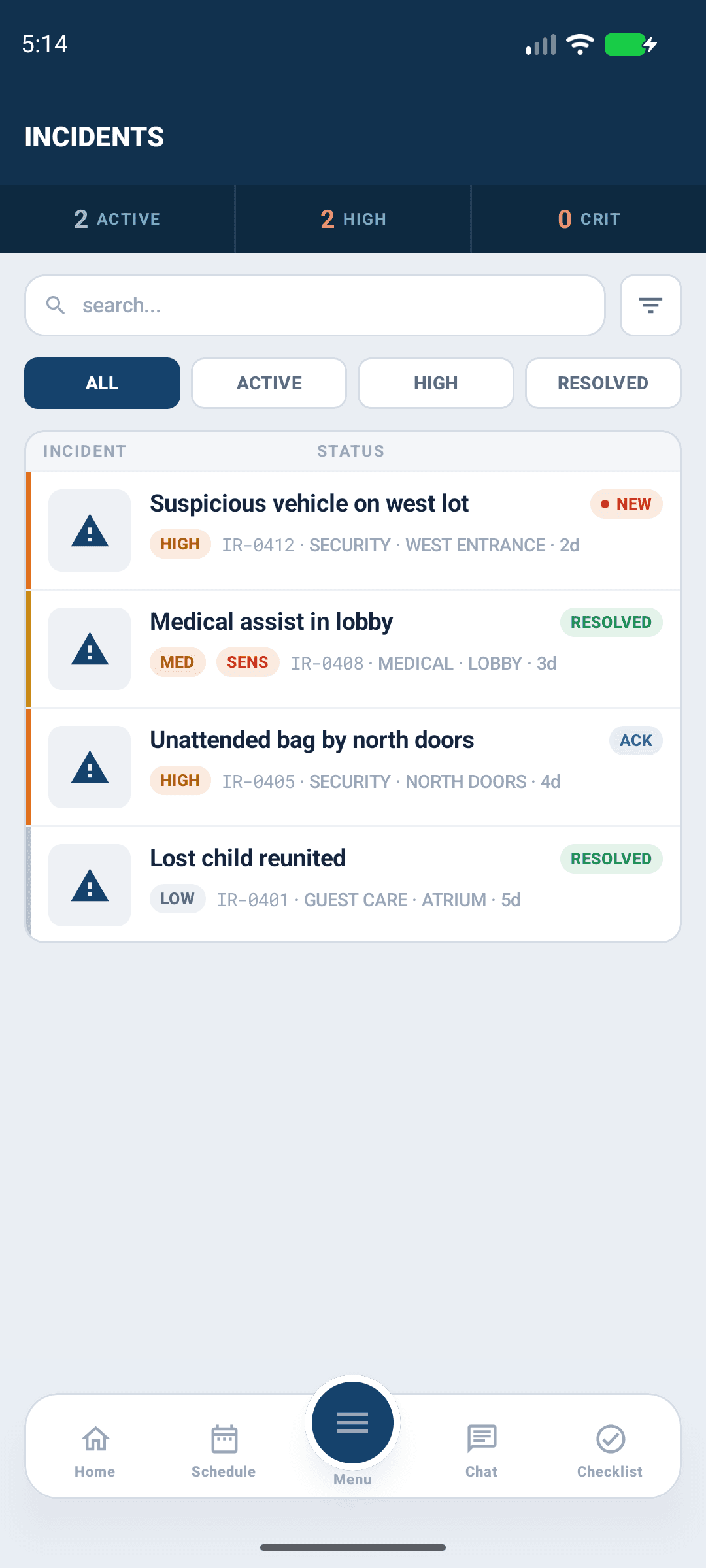
Open Incidents and use the new-incident action when you have permission. Select the correct campus and enter the incident's time, type and factual description. Distinguish what you observed from information reported by another person. Add relevant photos using the offered camera or library control, then submit and confirm the saved report.
Use the sensitive-record option according to church policy and your access. Sensitive incidents may be unavailable to people who can see ordinary reports. An app report is not a substitute for emergency response.

Android app shown with fictional demo data. View full-size screenshot.
Follow up
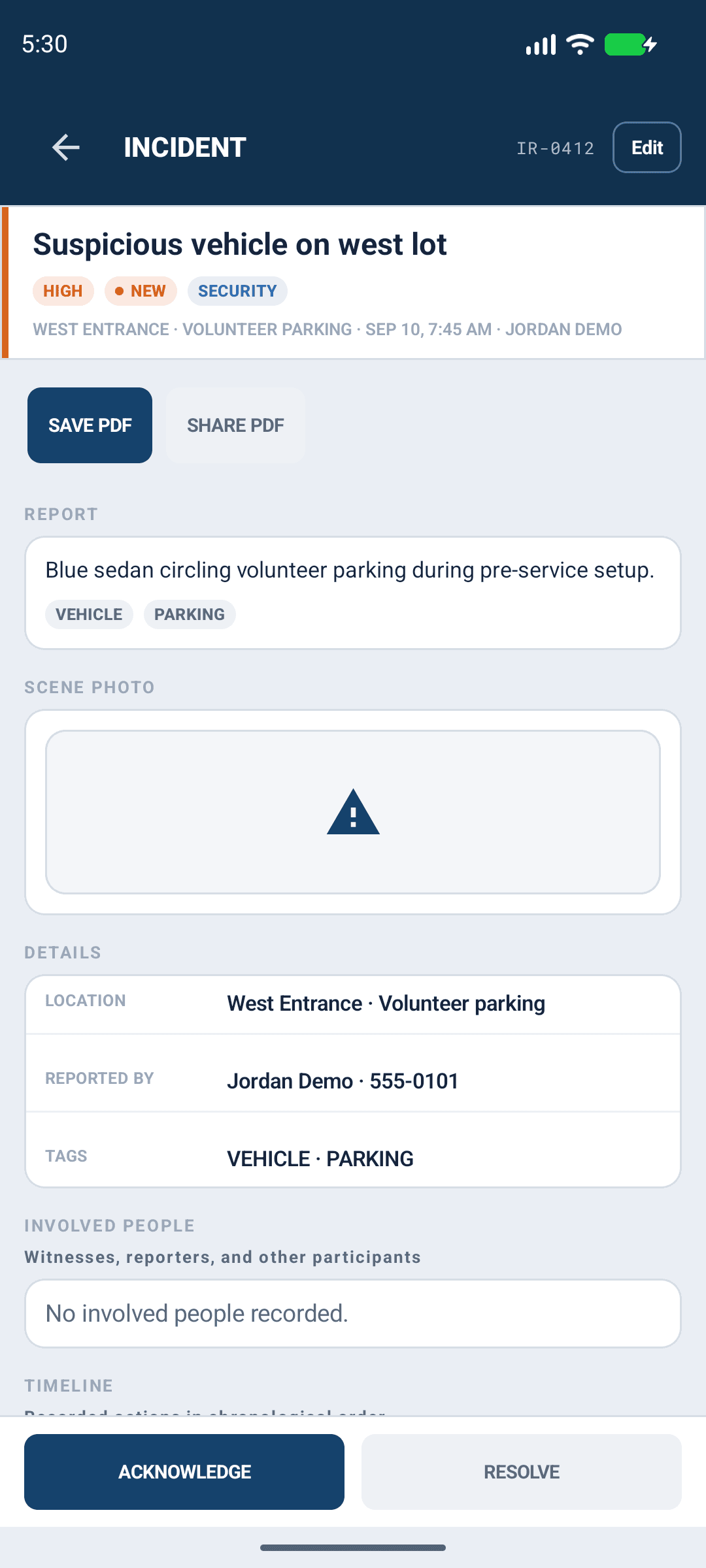
Open the saved report to review details, photos, notes and status. Add a factual note or use edit/status controls only when available to your account. Confirm the saved result before leaving. Do not overwrite a report simply to add a later observation when a note is the appropriate record.

Android app shown with fictional demo data. View full-size screenshot.
Save or share a PDF
- Open the incident while online and confirm you still have access.
- Select Save PDF to choose a destination with the Android file picker, or Share PDF to choose a sharing app.
- Wait for export to finish. For a save, confirm PDF saved. and review the resulting file.
- Share only with recipients authorized by church policy.
If export fails, reopen the incident and check connectivity and access before retrying. The file picker or share sheet opening is not proof that the report was successfully generated.
Archived or restricted records
Archived records leave ordinary lists and active dashboard awareness. Only eligible Church Admins, Directors, Campus Security Leads and Pastoral & Ministry Staff can read them within their existing scope. A notification or old link does not grant access. Use the web archive controls when your Android build does not expose them.